
Attendance
Take attendance without keeping another spreadsheet.
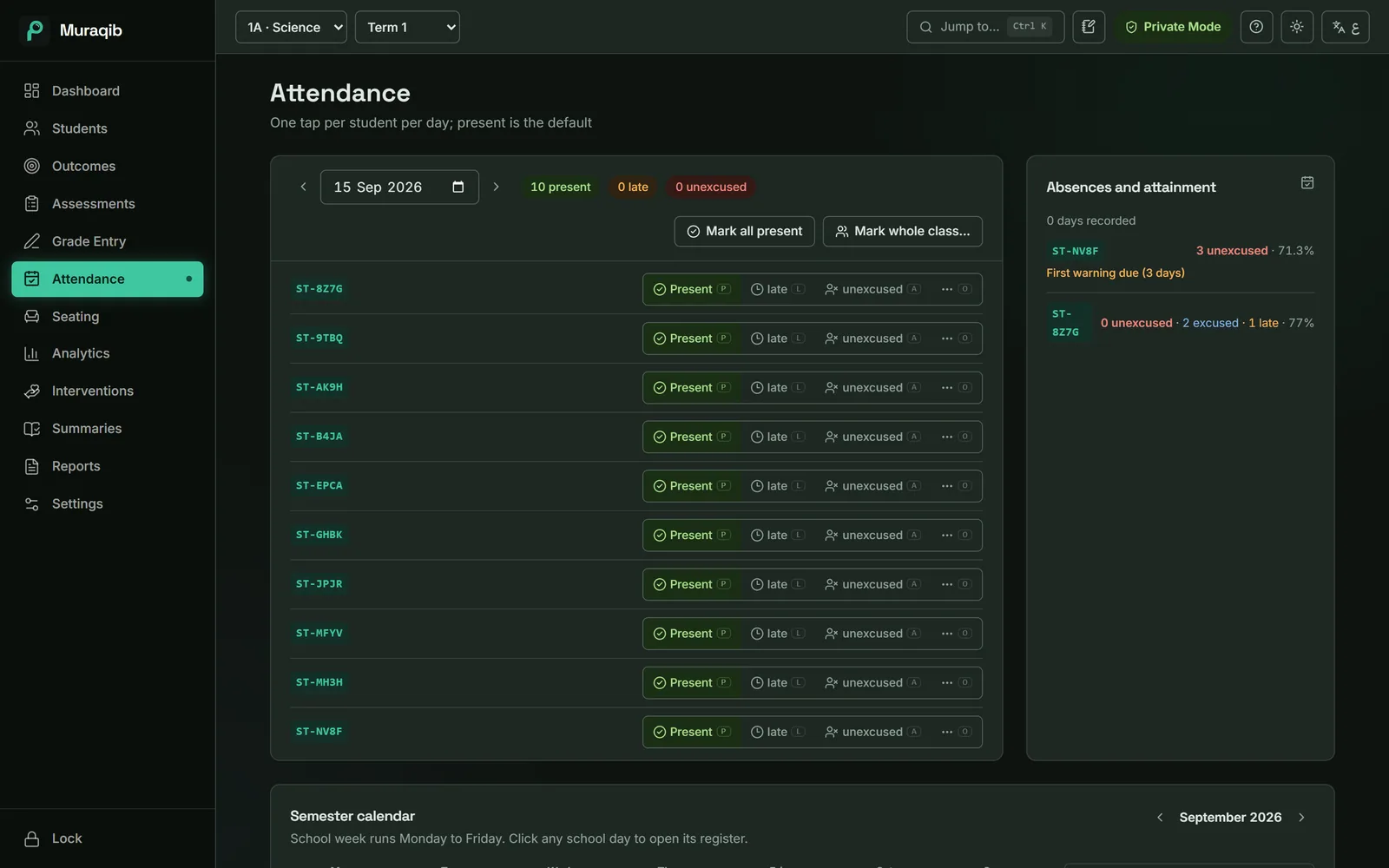
Everyone starts present. You mark only who is not, and the rest of Muraqib already knows.
The register is easy. Everything after it isn't.
Counting a student's absences for a letter, remembering which were excused, noticing when a pattern starts: that is where the time goes.
How it works
Open today
The register opens on today's date with everyone present.
Mark the exceptions
Press P, L or A for each student who is present, late or absent. Excused absence and leaving early are one more click, with a reason.
Let it add up
Absences count towards the warning ladder, show on the student's profile and appear in reports.
What you can do
- Five statuses
- Present, late, absent without excuse, absent with excuse, left early.
- Whole class at once
- Mark everyone present, or record a trip or event for the whole class.
- Warning ladder
- Written notice, first, second and third warnings at the ministry's thresholds.
- Term calendar
- A month view showing holidays, breaks and days the register wasn't taken.
- Absence and attainment
- Students with the most unexcused days, next to their average.
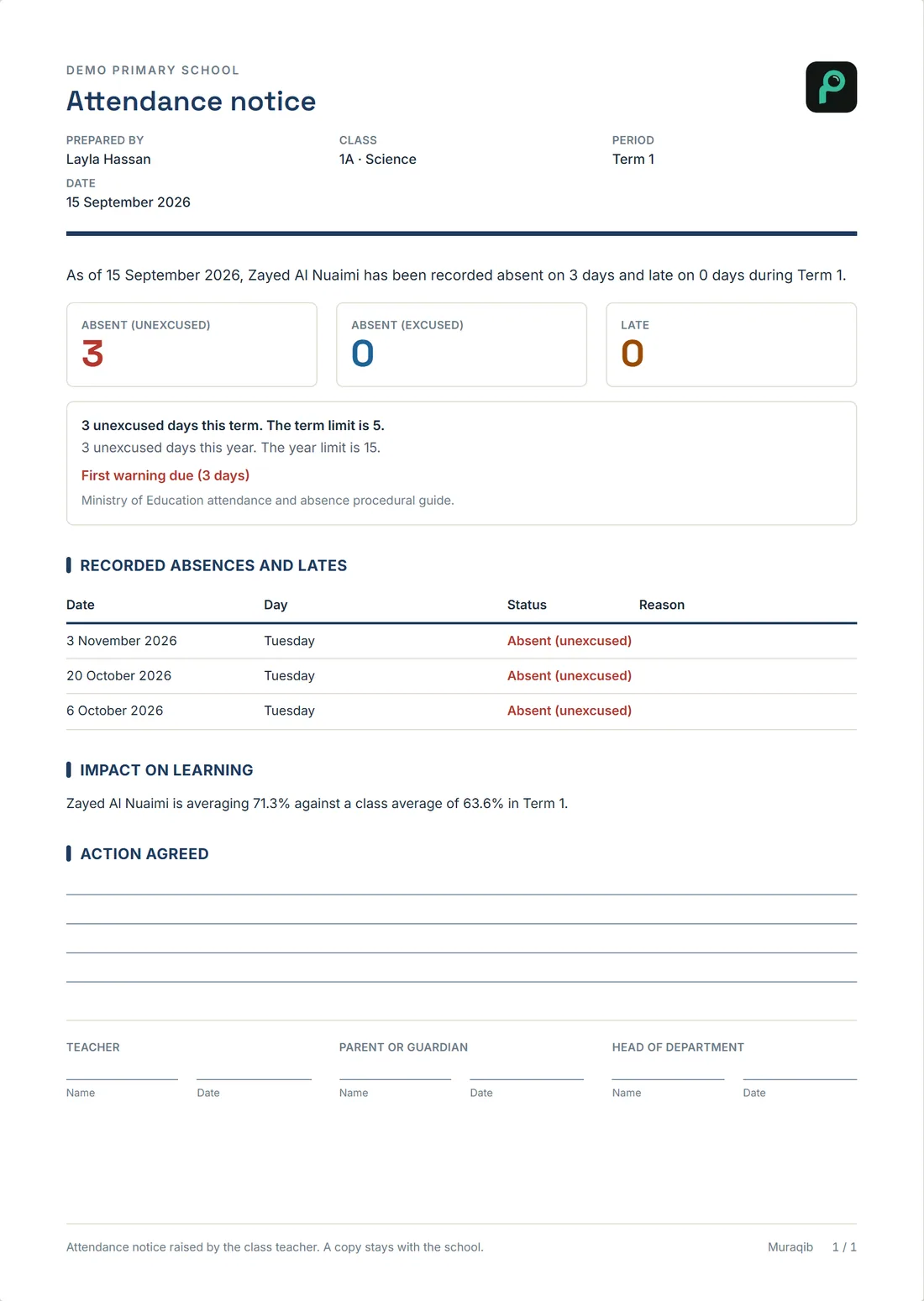
- Attendance notice
- An A4 letter with the dated record and signature lines.
Try the register
Five example students. Everyone starts present, as in the app. Tap a status, or move to a row and press P, L or A.
- Mariam
- Saeed
- Latifa
- Hamdan
- Noura
In the app, an excused absence and leaving early are one more click, with a reason.
Keep the teaching. Lose some of the admin.
Attendance, marks, observations, support and reports in one place, on your own computer.