Open one student. See everything.
Marks by term, absences, observations, the support plan and calls home, on one page. No digging through folders.
For teachers in the UAE · Windows and Mac · Arabic and English
Attendance, marks, assessments, observations, support plans and reports, in one workspace on your own computer. Made for UAE schools.
Muraqib is a program for Windows and Mac, not a phone app. On your phone now? Send yourself this link and open it on your computer.
Record it once. Use it at report time.


10 of 10 entered · saved

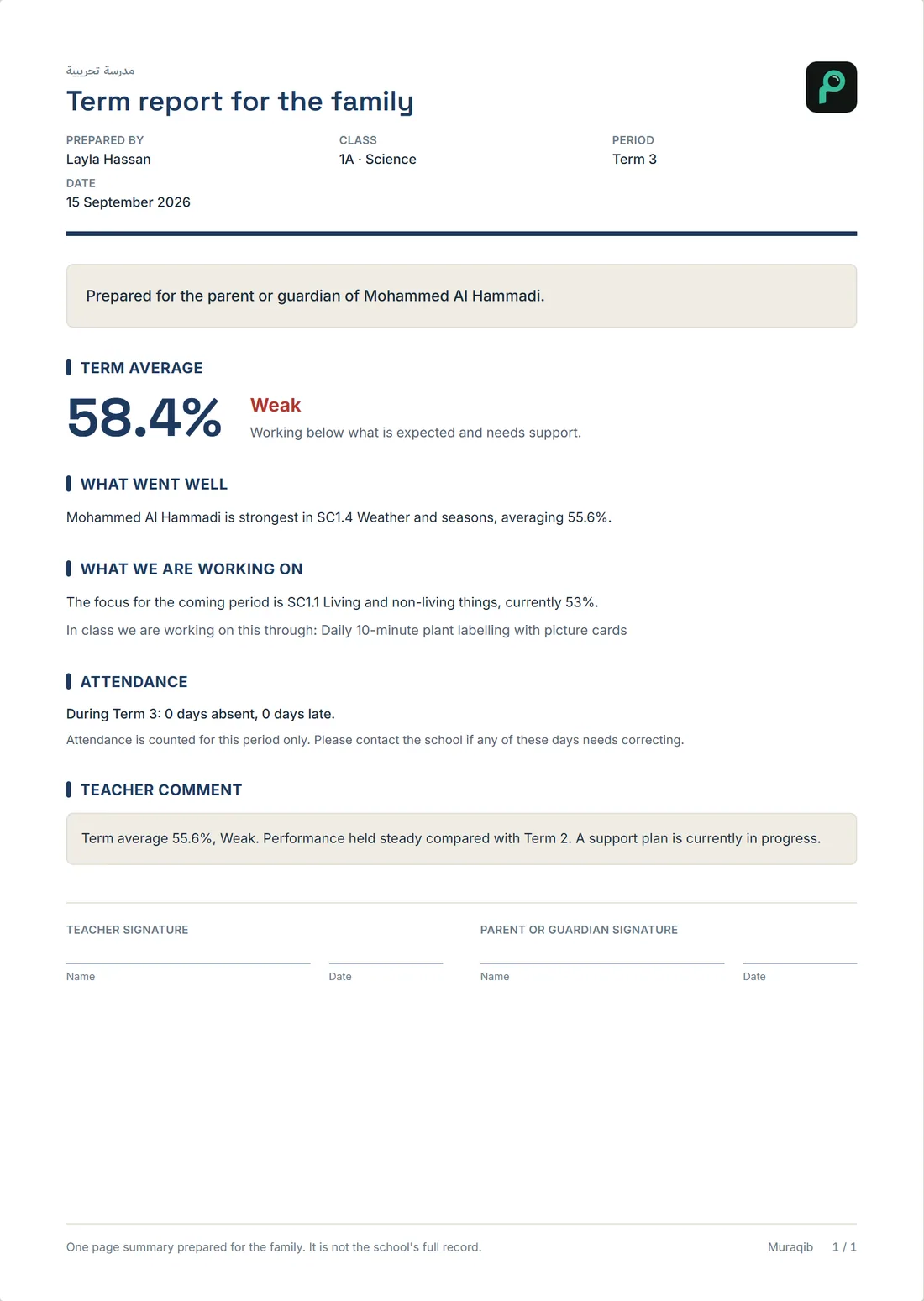
Paste it into Muraqib. Percent and level fill in, and the marks save themselves.
Sound familiar?
Nothing is wrong with any of them. They just never meet.
In Muraqib they are one record.
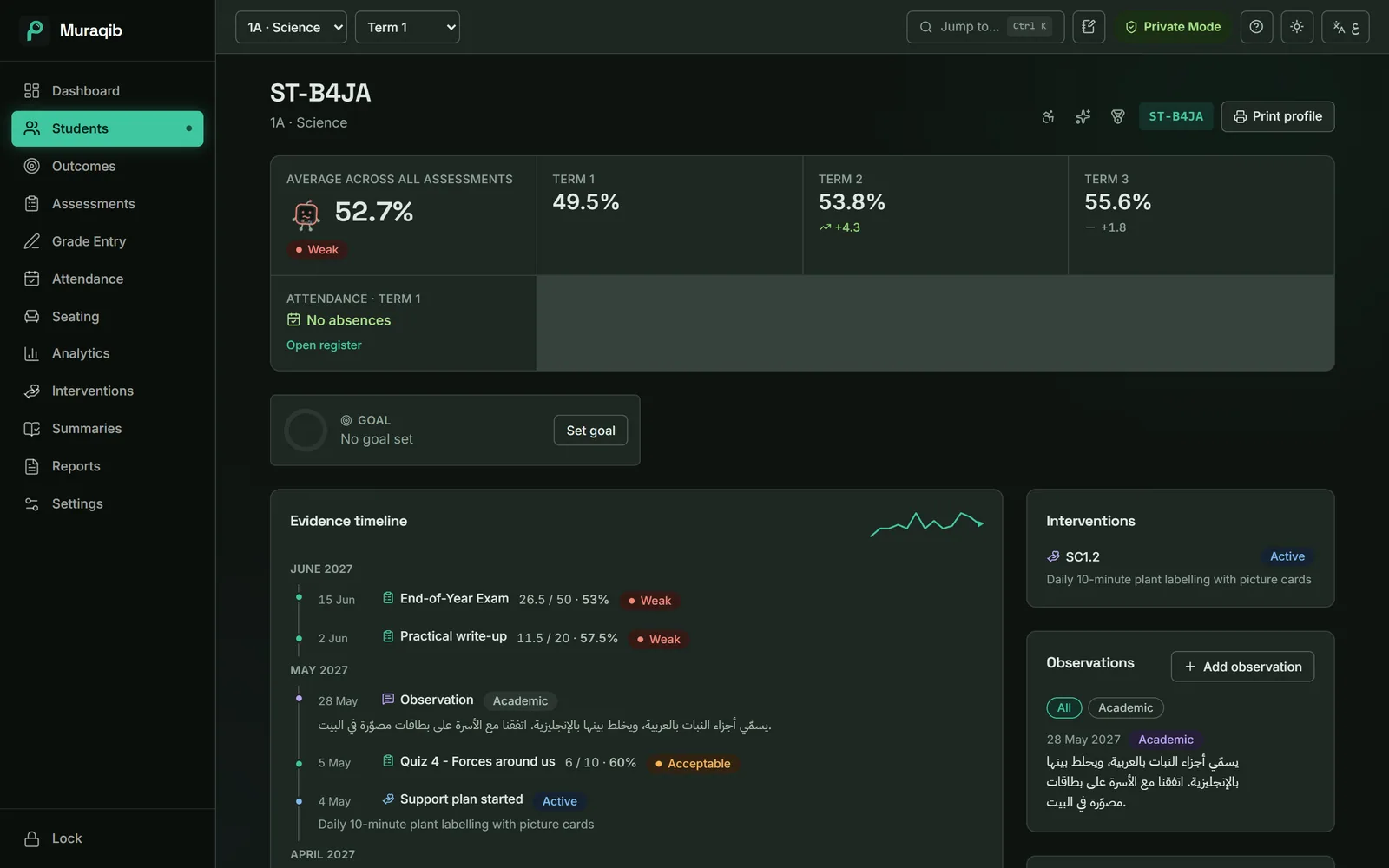
Marks by term, absences, observations, the support plan and calls home, on one page. No digging through folders.
What you enter during the term feeds the family report, the file for leadership and the starter lines for term comments.
Every screen and every printed report works in Arabic or English. Switch with one click.
No account and no cloud copy of your class. Students show as codes until you choose to show names.
Inside the app
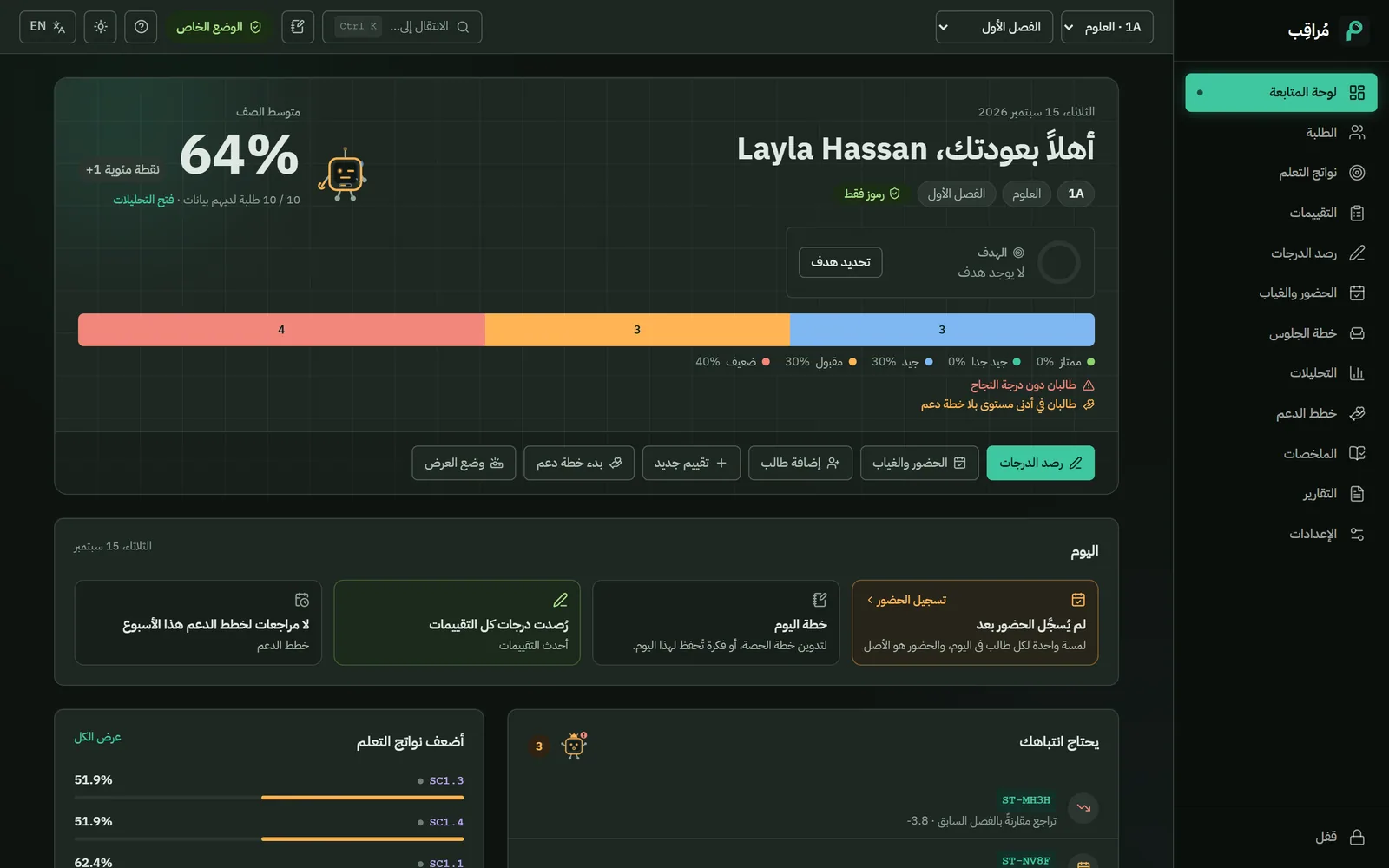
Real screens, with the demo class that comes with the app.

Present is the default, so you only mark the students who are not. One key per student, or mark the whole class at once.

Copy a column from Excel and paste it into the grid. Percent and level fill in as you go, and marks save themselves.

Quizzes, tests, projects and diagnostics, each linked to the learning outcomes it measures, with a bar showing what is left to mark.

One page brings together the term averages, attendance, a dated timeline of evidence, the support plan and your observations.

Levels across the class, how each assessment went, who improved and who slipped, and which outcome needs teaching again.

Each plan has a focus, a strategy, a starting point and a target. Checkpoints show the progress from one to the other.

Press Ctrl+Shift+O on any screen and write down what just happened. It lands on the student's timeline, dated and tagged.

Muraqib drafts starter lines from what you recorded: the term average, the trend, the support plan. You keep what fits and write the rest.

Family reports, attendance notices, class sheets, leadership summaries and an Excel file for your head of department, built from your records.
Real screen from Muraqib, with the built-in demo class.
Record once, report later
Everything you record through the term already knows where it belongs.
Small things, every day
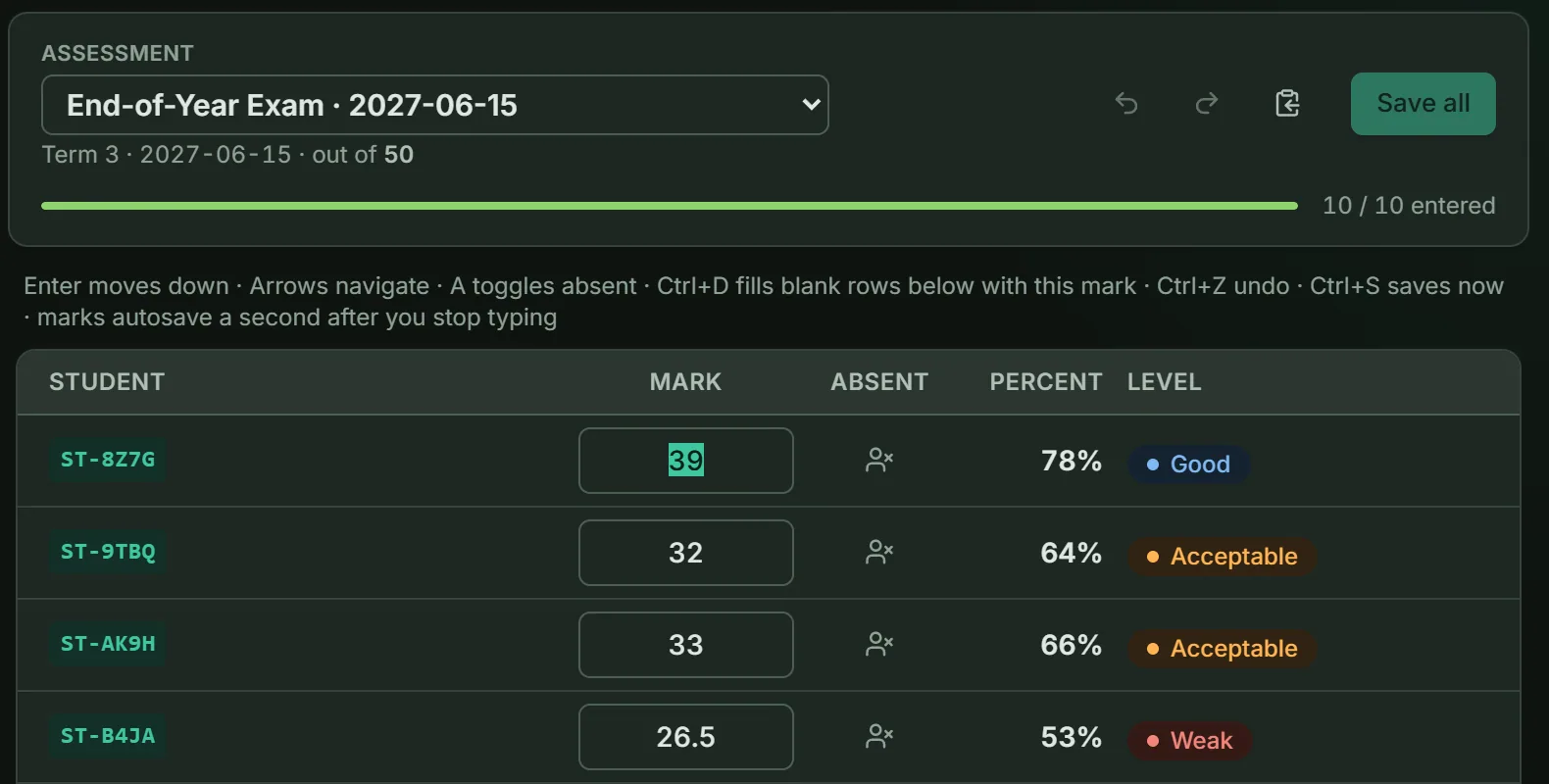
Copy one column from Excel and paste it into the grid, starting at the student you pick. Blank lines keep everyone in the right row.
Everyone got the same mark on the practical? One keystroke fills the blank rows below.
About a second after you stop typing. Undo goes back up to 100 steps.
P, L or A, and the cursor moves on. Or mark the whole class present with one button.
Type a student's code or a page name and press Enter.
Ctrl+Shift+O from any screen, and the student on screen is already picked.
A student recorded absent on the assessment day starts marked absent in the grid.
Add tables, then let Muraqib fill the empty seats or balance the tables by level.
The honest comparison
Muraqib doesn't do arithmetic better than Excel. It keeps things together.
| — | Spreadsheets and folders | Muraqib |
|---|---|---|
| Marks | One file per class, maybe per term | Every assessment, with percent and level, per class and term |
| Attendance | A separate register, often on paper | Next to the marks, with warnings when absences add up |
| A note about a student | A notebook or a phone | On the student's timeline, dated |
| A support plan | A Word document somewhere | Attached to the student, with checkpoints |
| The family report | Put together by hand | Printed from what you recorded |
| Leadership asks for numbers | Copy, paste, format | An Excel file with four sheets, one click |
You don't have to give Excel up. Muraqib exports CSV files and an Excel workbook, and marks paste in from Excel.
Made for UAE schools
Muraqib was built inside a UAE Ministry of Education school. It is an independent product, not a Ministry one. If your school runs its own system, one switch puts the ministry parts away.
Excellent, Very good, Good, Acceptable, Weak, set up for you. Change the levels if your school uses others.
Both assessment types, plus weighting presets for Cycles 1–2 and Cycle 3 that you can check against your own gradebook.
Written notice, first warning, second, third: shown as absences add up, with the ministry's term and year limits.
An A4 letter with the dated record, the warning reached and signature lines for teacher, parent and head of department.
Import the published 2026–27 holidays and breaks, or add your own days off.
Copy an assessment's marks as one column, ready to paste. It shows the first and last student so you can check the order.
Arabic
The whole interface turns right to left, and every printed page follows. English is one click away.
Privacy
Muraqib keeps its records in one database file on your computer. There is no Muraqib account and no cloud copy of your class.
What leaves your computer: a check for new versions, and if you add Pro, a check that sends only the Pro key and a random ID for the computer. Never a student's name or mark.
How privacy works Muraqib, on your computer
A day with Muraqib
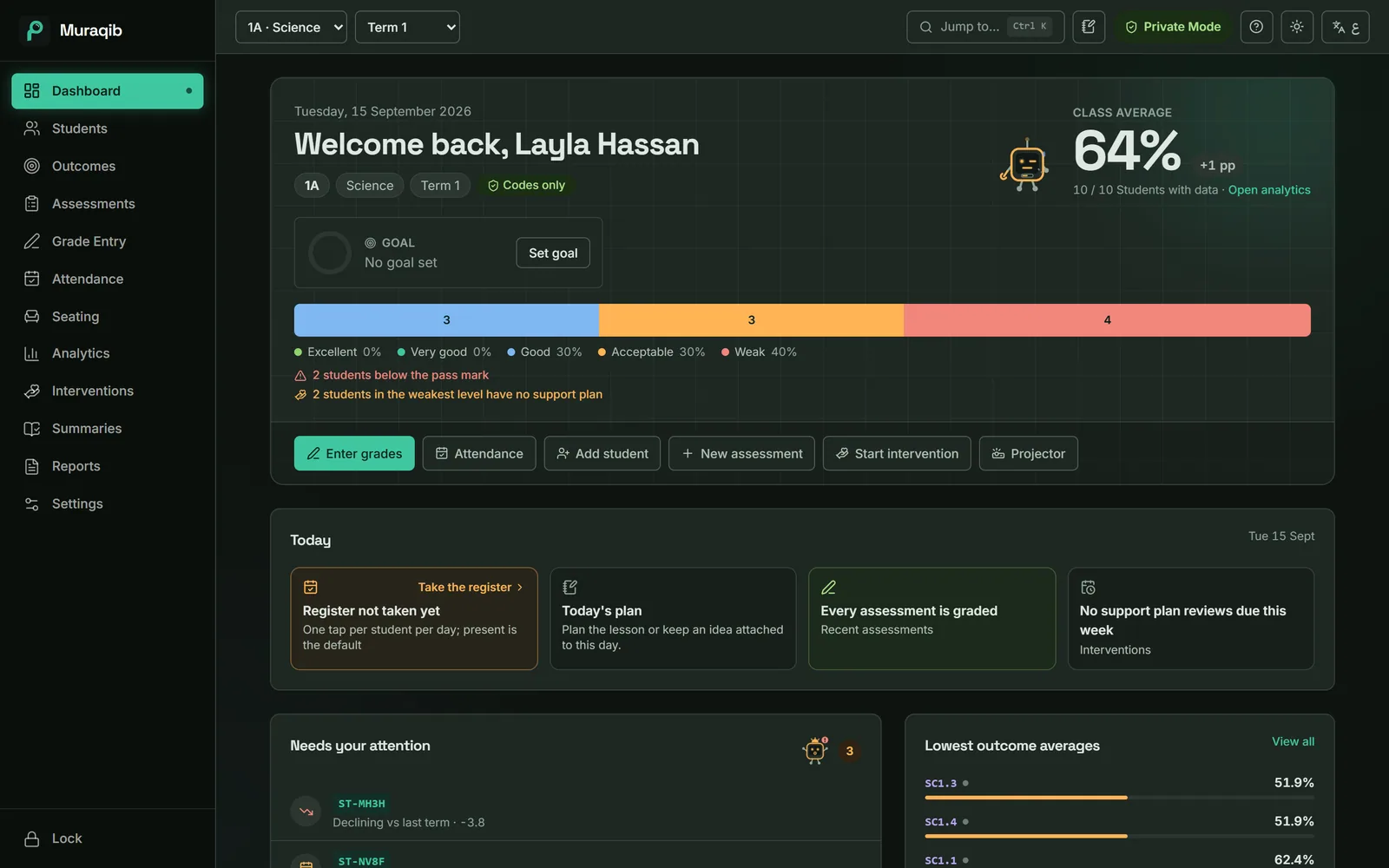
See whether today's register is done, who is back after an absence and what needs your attention.
Everyone starts present. Mark only the students who are late or away.
Ctrl+Shift+O, a line of text, Save. It is on the student's record.
A column from Excel, or type them with the keyboard. Levels appear as you go.
Pick the student. The weakest outcome and the starting point are filled in for you.
Date and method are filled in. Add a line if you want.
Comment starters from the term's data, the family report and the Excel file for leadership.
Muraqib Pro
Muraqib reads what you recorded for each student (the term average and level, the change since last term, the support plan, attendance) and drafts starter lines for their report comment. You pick the lines that fit, then make the comment yours.


Everything you record is free, for good. Pro adds comment drafts for every student and the saved reports leadership asks for. Free or Pro, these jobs get shorter:
AED 0
No time limit, no account, no card
AnnualBest value
AED 12.50 a month
AED 149.99 billed once a year
About 75% less than paying monthly for 12 months
Covers the school year, to 31 August. Bought from March, it also covers the next school year.
Monthly
AED 49.99 a month
Billed monthly. Flexible, one month at a time.
Pro goes on sale soon. Start with Free today: everything you record carries over when you add Pro.
No trial clock, no card to start, and your records are never locked behind a payment.
Attendance, marks, observations, support and reports in one place, on your own computer.